Less paperwork. More teaching.
Teachers enter marks on their phones and report cards are ready automatically. Attendance, fees with M-Pesa, IEPs, timetables and parent SMS — your whole school in one portal.
- Portal ready in about a minute
- Works on any phone
- Nothing to install
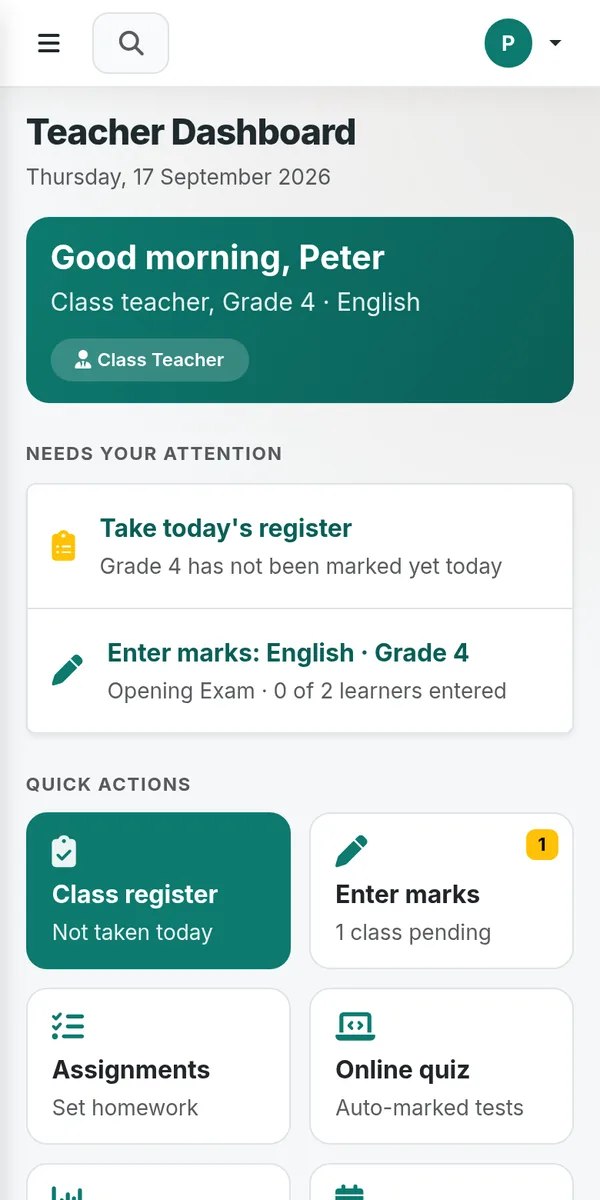
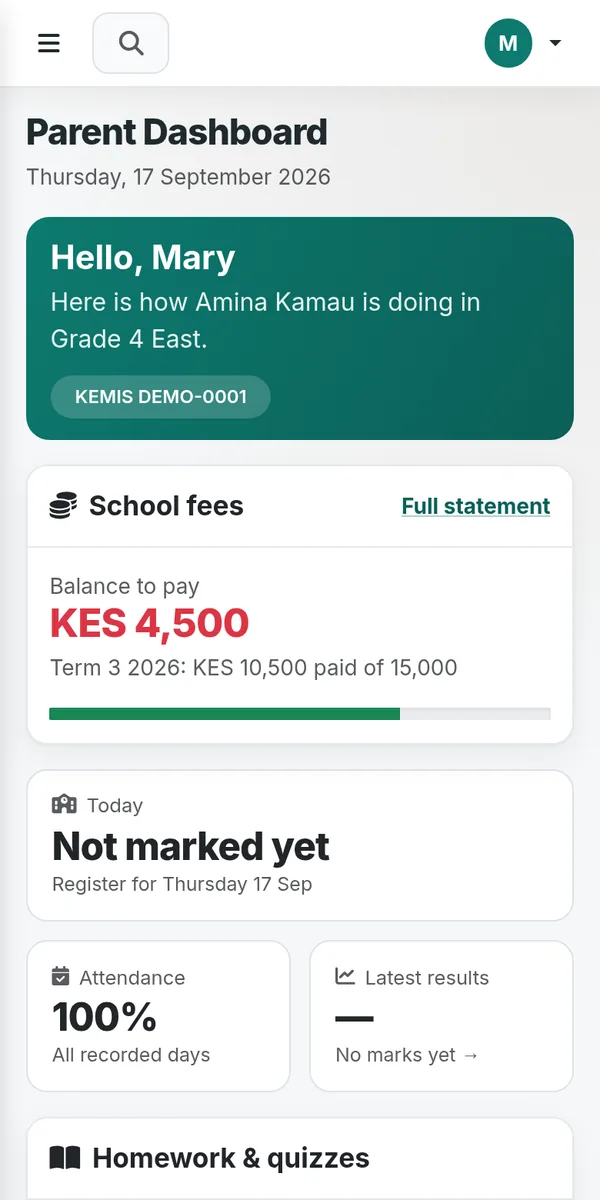
The tools your school uses every day
Replace registers, mark books and receipt books with one portal that teachers, the office and parents can all open from their phones.
Exams and report cards
Teachers enter marks per learning area from a phone or laptop. Results, rankings and printable report cards are produced for you.
Attendance register
Mark the class register in seconds each morning, see who is absent across the school and let parents know by SMS.
Fees and finance
Fee structures, invoices and balances. Parents pay by M-Pesa and payments post to the right learner automatically, with receipts.
Individualized Education Programs
Plan IEPs for learners with special needs, set goals, record progress and keep a log of every conversation with parents.
Timetables
Build the school timetable from your lessons, teachers and rooms, then print it per class or per teacher.
Parent SMS and portal
Parents see results, attendance and fee balances, and receive SMS updates straight from the school.
Each person sees what they need
Everyone signs in with their own account and only sees the parts of the portal that belong to their role.
Head teacher
- See the whole school at a glance
- Track performance across terms
- Manage staff, classes and settings
Teachers
- Enter marks from a phone
- Take the class register
- Set assignments and IEP goals
Bursar
- Invoices and fee balances
- M-Pesa payments matched for you
- Expenses and budgets
Parents
- Results and report cards
- Attendance and fee balance
- Pay fees with M-Pesa
Up and running today
No installation, no servers and no special computers.
Register your school
Pick your school from the national list and add the administrator's details. Your portal is created in about a minute.
Add classes and staff
Set up grades and streams, add learners and give each teacher an account for their classes and learning areas.
Start using it
Teachers take the register and enter marks, the office handles fees, and parents follow along from their phones.
Your school's data is your school's alone
Learner records, marks and money are sensitive. The portal is designed so that one school's information is never mixed with another's.
How we protect school data- A separate database for every school The portal only opens the database of the school you signed in to.
- Role-based access Teachers, parents and learners each see only what their role allows.
- Your own portal address
school.shopika.com/s/your-school/to bookmark and share with staff and parents.
Common questions from schools
Do we need to install anything or buy computers?
No. Shopika School runs in the browser, so teachers and parents use the phones they already have. A laptop is handy for the office but not required.
Does it follow the CBC?
Yes. Grades, learning areas and report cards follow the Competency Based Curriculum, and the official Senior School Pathways catalogue is already loaded.
Which schools can register?
Primary, Junior School, Comprehensive and Senior Schools, public or private, day, boarding or both. If your school is not in the national list you can still register it by name.
How do parents pay fees?
Parents pay with M-Pesa from the parent portal and the payment is recorded against their child's fee balance automatically, so the bursar does not have to match receipts by hand.
Who can see our learners' information?
Only people your school gives an account to. Each school has its own database, and each account only sees what its role allows.
We need help getting started. Who do we talk to?
Call 0712 095 031 or email support@shopika.com and we will help you set up your school.
Give your teachers their time back
Register your school now and have a working portal in about a minute.
Or email support@shopika.com